Tivity – Project and Task Manager
A web application designed to visually and intuitively organize projects and tasks.
A web application designed to visually and intuitively organize projects and tasks.
A web application designed to visually and intuitively organize projects and tasks.
A web application designed to visually and intuitively organize projects and tasks.
Role
Product Designer & Front-end
Category
Frontend Developer
Year
2025
What am I solving?
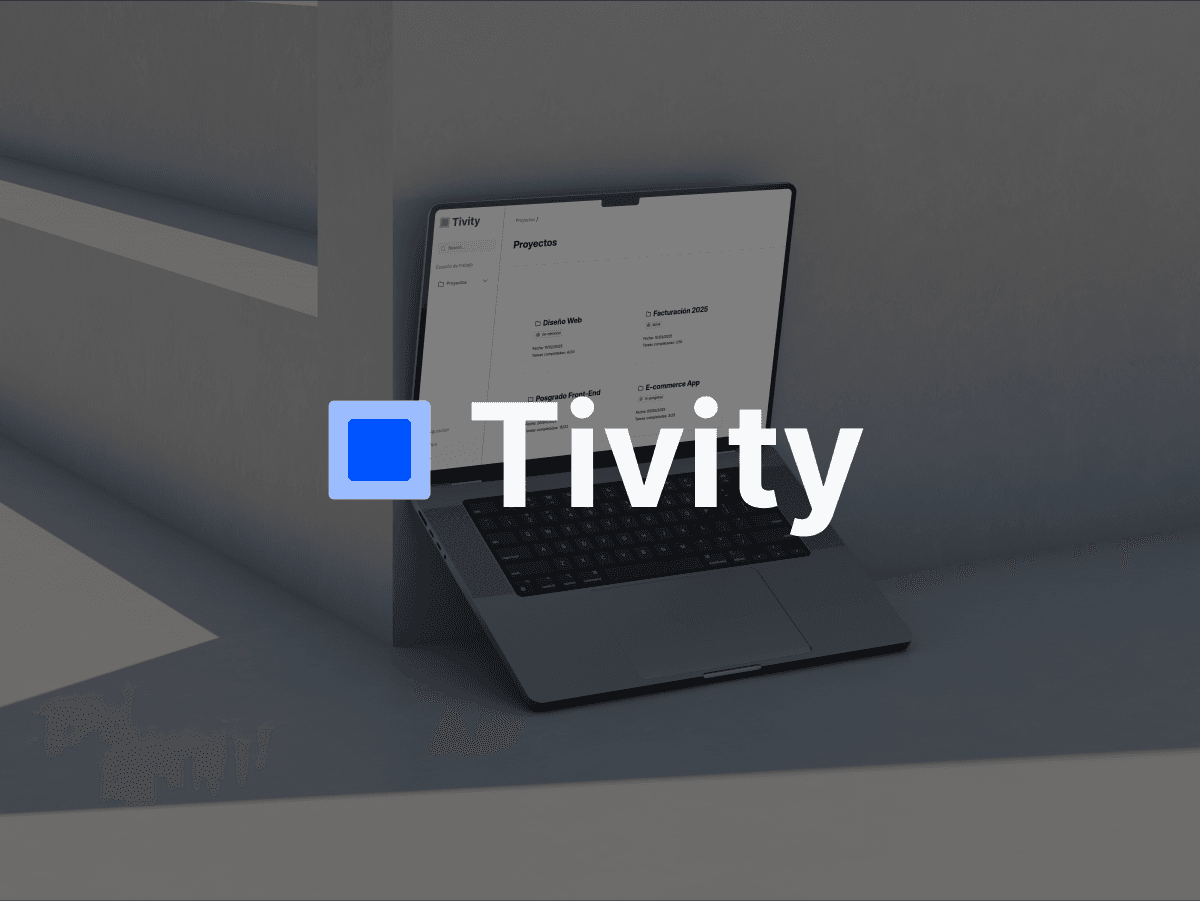
Many professionals and small teams rely on tools that are either overly complex or misaligned with their actual workflows. We identified a common need: a simple, visual, and functional app to manage projects and tasks without steep learning curves or unnecessary settings. The challenge was to design a lightweight tool that made task tracking effortless, allowed for easy inline editing, and delivered a fluid experience across devices.
Process
We adopted an agile approach with weekly sprints to manage progress. The process was structured into three key phases:
1. UX/UI Research & Ideation
We benchmarked tools like Trello and Asana, identifying essential features. We designed wireframes and interactive prototypes in Figma and defined a clear architecture for the user experience.
2. Front-End Development (HTML/CSS)
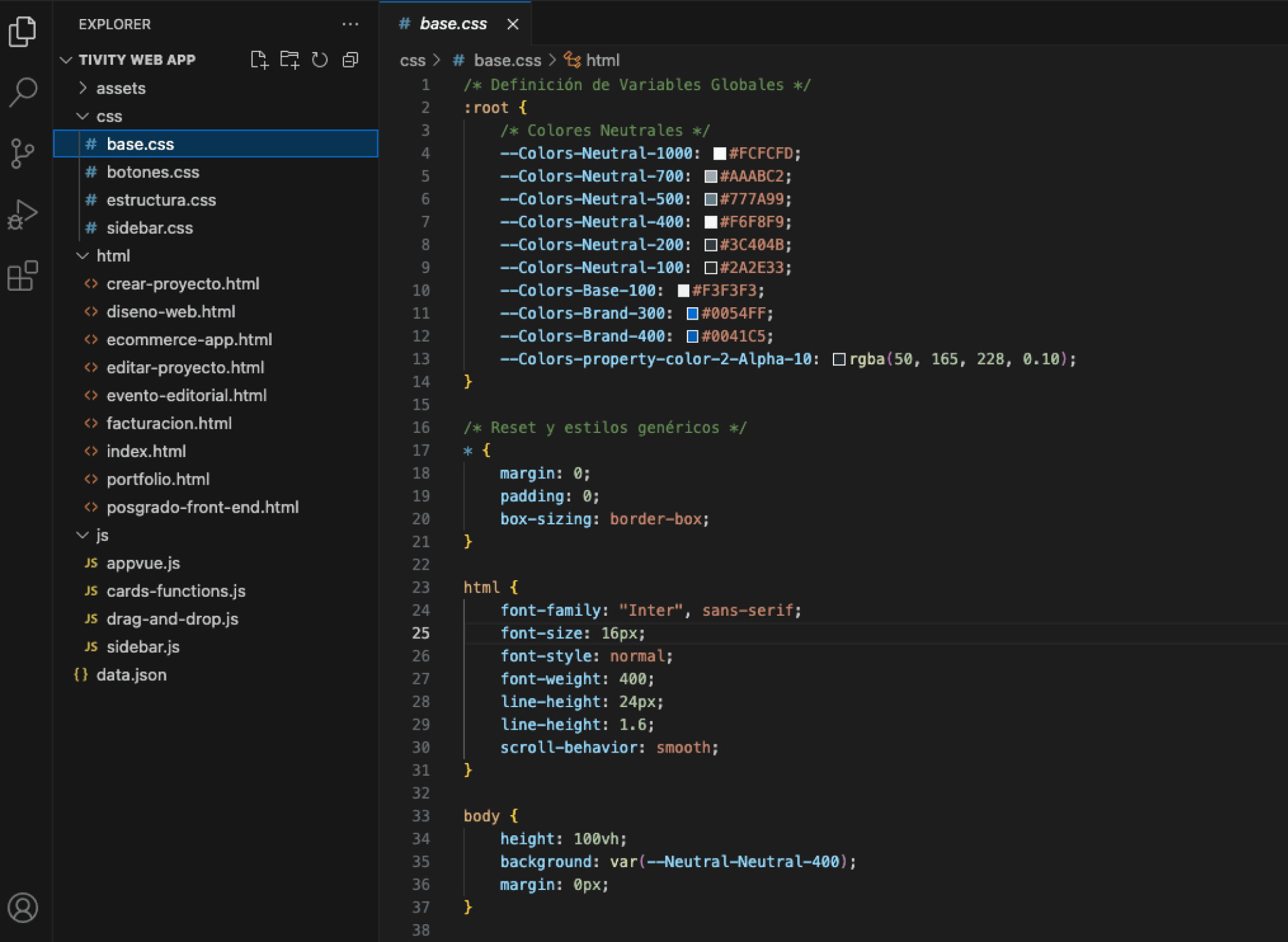
We built the interface using semantic HTML and modular CSS. Flexbox and media queries ensured responsiveness across three breakpoints. We defined CSS variables and a base stylesheet to maintain scalability and visual consistency.
3. Functional Development (JavaScript + Vue.js)
The MVP logic was implemented using Vue.js to manage dynamic data, create and edit tasks inline, and support drag & drop across different task states. Local storage ensured data persistence, and smooth transitions enhanced the user experience.
What am I solving?
Many professionals and small teams rely on tools that are either overly complex or misaligned with their actual workflows. We identified a common need: a simple, visual, and functional app to manage projects and tasks without steep learning curves or unnecessary settings. The challenge was to design a lightweight tool that made task tracking effortless, allowed for easy inline editing, and delivered a fluid experience across devices.
Process
We adopted an agile approach with weekly sprints to manage progress. The process was structured into three key phases:
1. UX/UI Research & Ideation
We benchmarked tools like Trello and Asana, identifying essential features. We designed wireframes and interactive prototypes in Figma and defined a clear architecture for the user experience.
2. Front-End Development (HTML/CSS)
We built the interface using semantic HTML and modular CSS. Flexbox and media queries ensured responsiveness across three breakpoints. We defined CSS variables and a base stylesheet to maintain scalability and visual consistency.
3. Functional Development (JavaScript + Vue.js)
The MVP logic was implemented using Vue.js to manage dynamic data, create and edit tasks inline, and support drag & drop across different task states. Local storage ensured data persistence, and smooth transitions enhanced the user experience.
Design solution
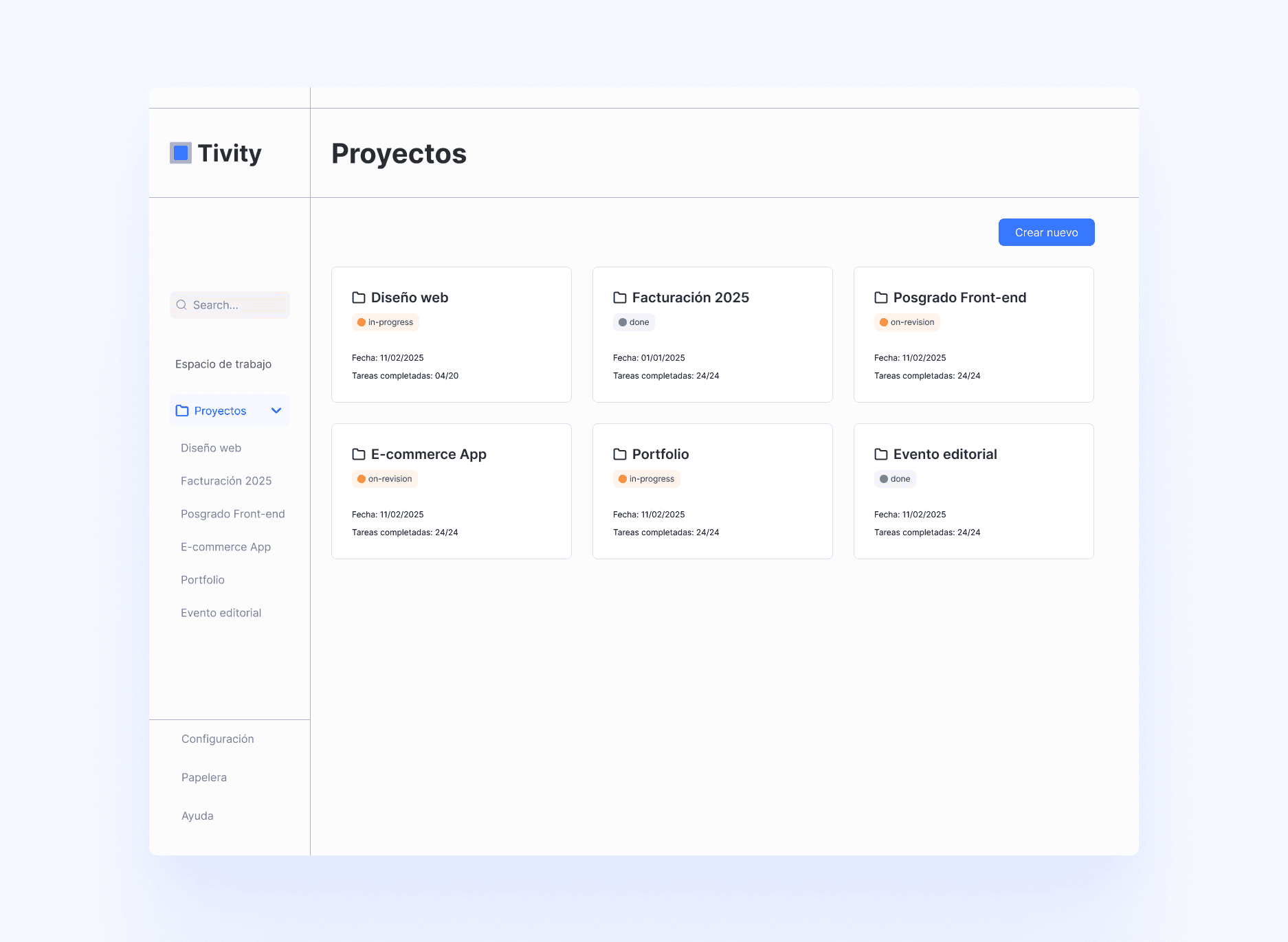
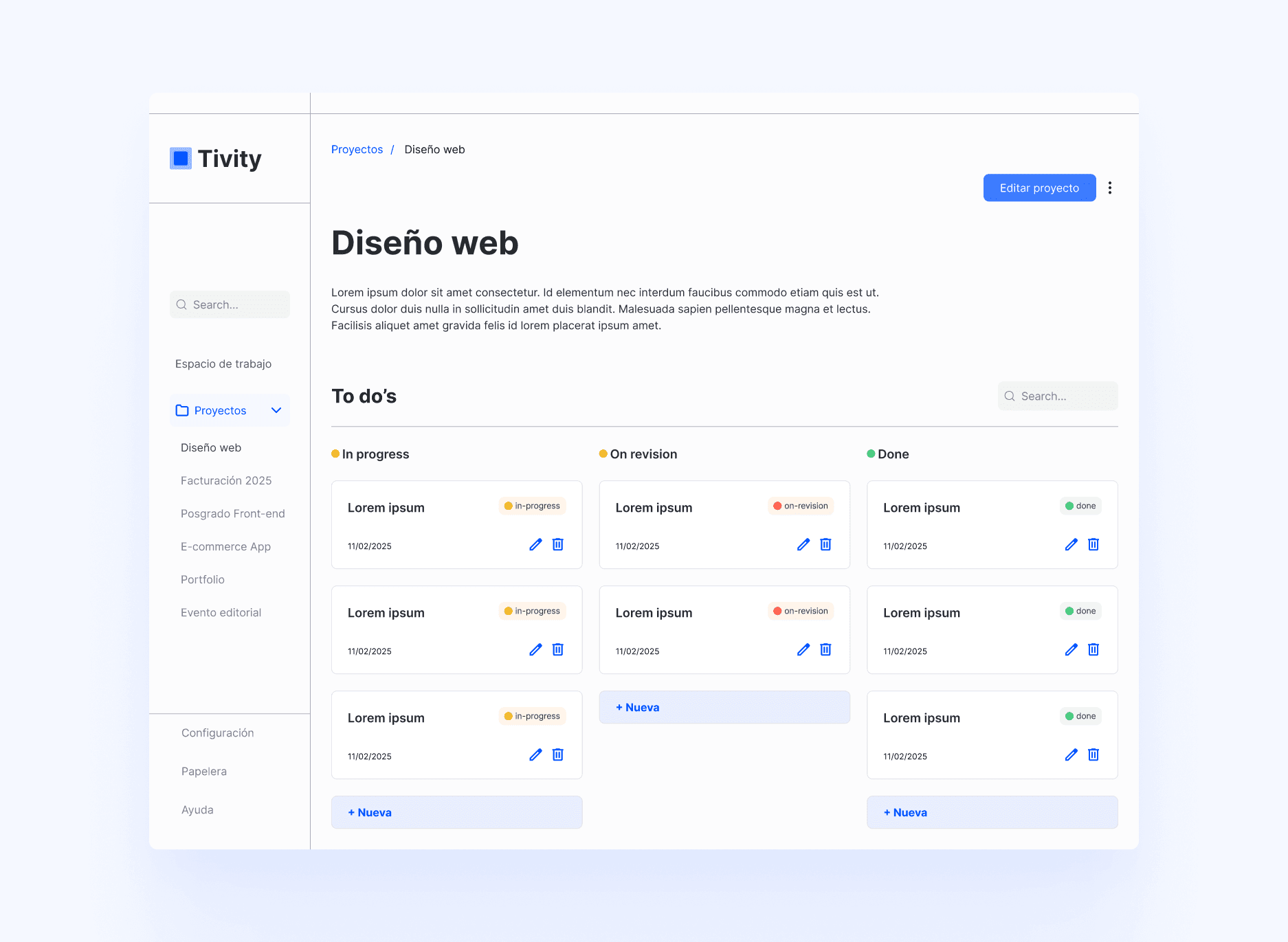
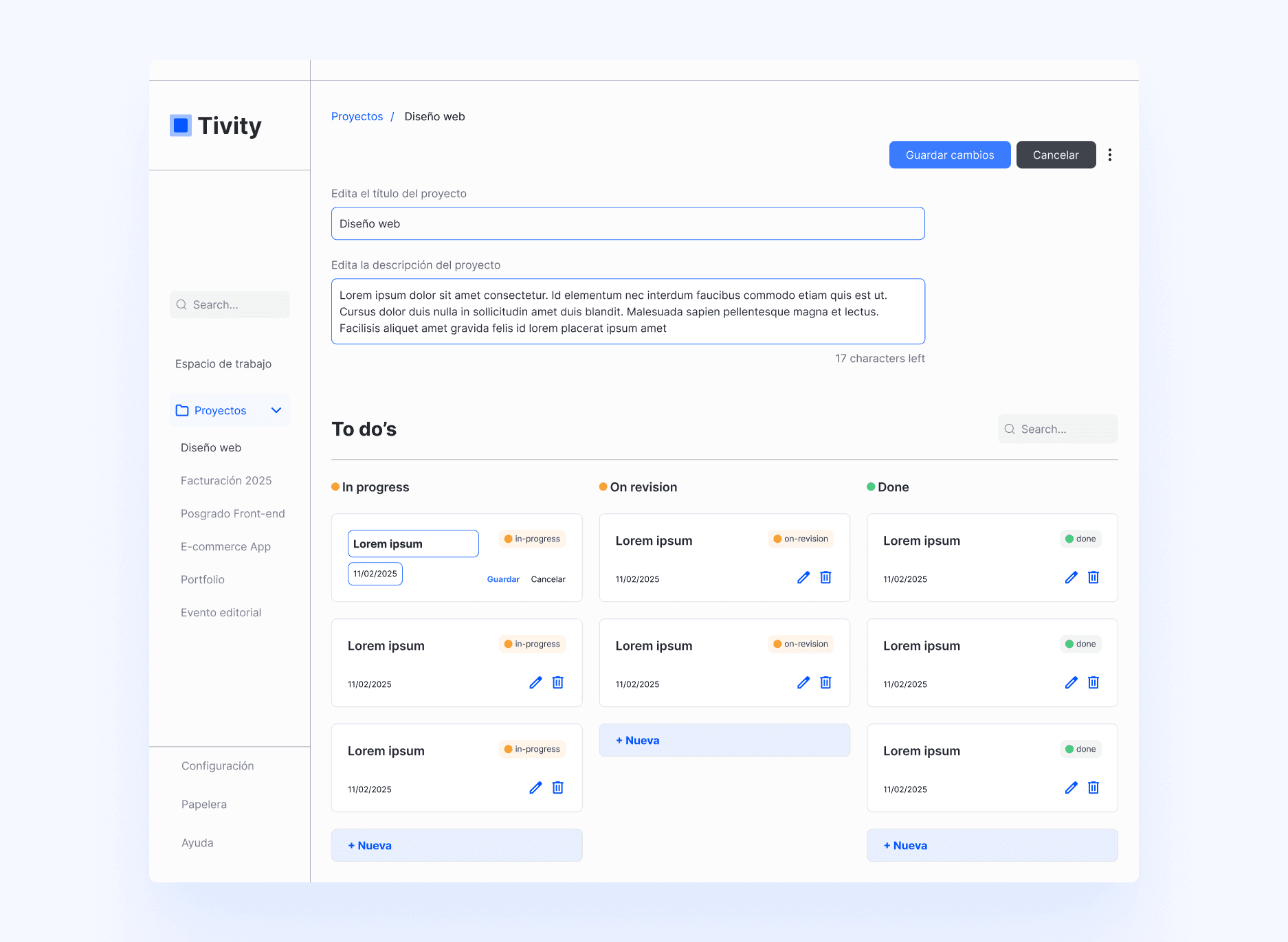
We created an app with a dashboard displaying all available projects, dynamic task cards, and a color-coded status system (in progress, under review, completed). Tasks can be edited inline and reorganized easily through drag & drop. The interface is fully responsive, providing a consistent experience across desktop and mobile. The design was implemented with high fidelity from Figma prototypes using DevMode.
As part of the project closure, we uploaded the repository to GitHub, organizing the code into modular folders and documenting the structure. We then deployed the application on Netlify, automating the build process directly from the repository. This allowed us to have an accessible online version, ideal for sharing, testing across different devices, and validating the actual user experience.
Design solution
We created an app with a dashboard displaying all available projects, dynamic task cards, and a color-coded status system (in progress, under review, completed). Tasks can be edited inline and reorganized easily through drag & drop. The interface is fully responsive, providing a consistent experience across desktop and mobile. The design was implemented with high fidelity from Figma prototypes using DevMode.
As part of the project closure, we uploaded the repository to GitHub, organizing the code into modular folders and documenting the structure. We then deployed the application on Netlify, automating the build process directly from the repository. This allowed us to have an accessible online version, ideal for sharing, testing across different devices, and validating the actual user experience.
Reflections
This project was a turning point in my growth as a Product Designer. Learning front-end development broadened my understanding of the real-world limitations and possibilities of technology. It strengthened my technical fluency, enabling me to collaborate more effectively with developers, foresee implementation challenges, and advocate for feasible design solutions.
One of the key challenges was collaborating asynchronously with a teammate on the code while ensuring accurate visual translation from Figma to code using DevMode without compromising structure or visual consistency. This project reinforced my belief that product design is not just about aesthetics or intent; it’s about execution and building a direct relationship with technology.
You can view the live version on Netlify.
Reflections
This project was a turning point in my growth as a Product Designer. Learning front-end development broadened my understanding of the real-world limitations and possibilities of technology. It strengthened my technical fluency, enabling me to collaborate more effectively with developers, foresee implementation challenges, and advocate for feasible design solutions.
One of the key challenges was collaborating asynchronously with a teammate on the code while ensuring accurate visual translation from Figma to code using DevMode without compromising structure or visual consistency. This project reinforced my belief that product design is not just about aesthetics or intent; it’s about execution and building a direct relationship with technology.
You can view the live version on Netlify.